Computing

Review: MacBook
Tuesday, August 12th, 2008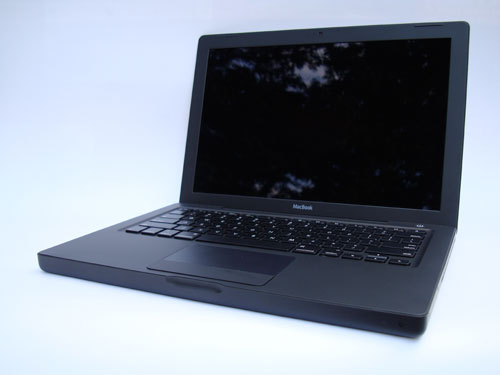
Intro:
This isn’t so much a review as it is a comparison between the MacBook and two other similar Apple portables: the MacBook Air and the 12″ PowerBook. Why? In my opinion (and many others) the 12″ PowerBook is one of the best portables Apple (or anyone else) has ever made. The 12″ PowerBook is small, light, durable, and a great overall package. There was a significant and glaring gap in Apple’s portable line after the discontinuation of the 12″ PowerBook. The MacBook and the MacBook Air are currently Apple’s smallest portables. I gave my opinion of the MacBook Air recently, and now it is time for the MacBook.
Pros:
- Good value
- Fast processor
- Large hard drive
- FireWire 400 port
- Nice size
- Well built and durable
- Easily accessible RAM and hard drive
Cons:
- LCD not LED back lit
- Keyboard not back lit
- Poor prices on RAM upgrades through Apple (no surprise)
- No option for ‘No RAM’ or anything less than 2GB
- Integrated video is adequate, but not impressive
- Small trackpad

Compared to MacBook Air:
While the MacBook’s profile is significantly larger than the Air, it is still relatively compact. The MacBook has a faster processor, faster hard drive and more RAM. That said, it doesn’t really feel any quicker than the MacBook Air; both are adequate.
Other than that, the trackpad is functional but on the small side, the absence of a back lit keyboard is annoying, and the battery life seems to be pretty good. Speaking of batteries, the non-(easily)removable battery on the MacBook Air gets a lot of press, but I don’t care. The MacBook has an easily removable batery, but I don’t see this as much of an advantage. The only time I’ve removed the batteries from my other laptops was when they needed to be replaced, which is generally about once every 2-3 years.
Compared to 12″ PowerBook:
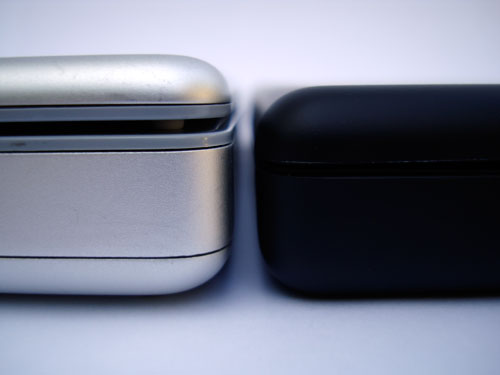
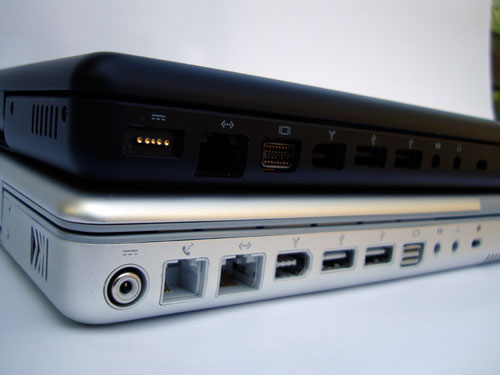
In comparison the the 4.6 lb. 12″ PowerBook, the 4.9 lb. MacBook is both larger and heavier. However, the MacBook gains a much lager display with that 0.3 lb. increase. Aside from the obvious advantages of a larger screen and modern multi-core processor, the MacBook benefits from a better keyboard, the nifty Magsafe power connector, and a magnetic latch. One area that the MacBook really has an advantage is the hard drive. Okay, not specifically the hard drive, but the ease of removal/installation of said hard drive. The last 12″ PowerBook I took apart required the removal of somewhere on the order of 30 screws to get to the hard drive. The MacBook hard drive is easily removed via a door in the battery compartment: ifixit procedure.

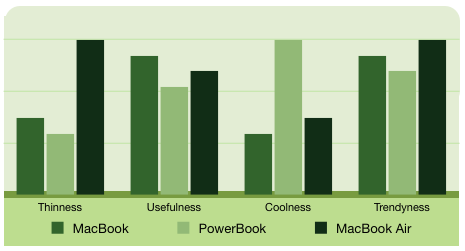
Conclusion: While not as thin and cool as the MacBook Air, the MacBook betters it in terms of value and flexibility. The MacBook didn’t stand a chance against the ‘coolness’ of the PowerBook or the ‘thinness’ of the MacBook Air. But as you can see, the MacBook compares favorably to the PowerBook and MacBook Air in the key metric of ‘usefulness’ and is competitive in terms of ‘trendyness’.
Why did I buy a MacBook weeks prior to a likely product line update? Reliability.
The 15″ aluminum PowerBook that this MacBook is replacing was a disaster. It was purchased the day the new PowerBooks were released and started off with white spots on the screen, lost the keyboard back light and went through a total of four logic boards. Oh, and it wasn’t even the first one we bought; the first one was returned becuase the latch wouldn’t close. Compare that to my 1.33 GHz 12″ PowerBook which was purchased near the end of the product cycle. It has had zero hardware issues and has held up very well. On the other hand, the MacBook Air, Mac Mini PPC 1.42, Mac Mini 1.6 Core 2 Duo, 15 GB iPod 3G and 16 GB iPod Touch were all purchased very early in their product cycles (first day available in many cases) and have performed flawlessly. Whatever the case, I wanted this MacBook to be reliable and didn’t want to take a chance on the successor.
Review: Sony Cyber-shot W300
Wednesday, July 30th, 2008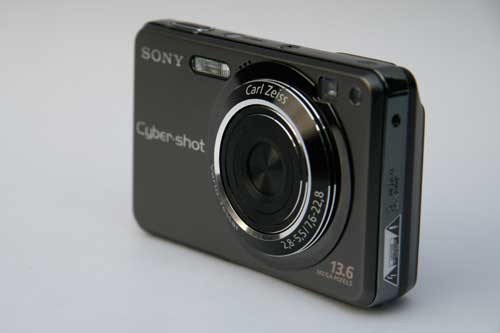
Having read 10+ page reviews of cameras meant to be simple and convenient is a bit much. So, my short review of the Sony CyberShot DSC-W300 will consist of mostly bullet points with a little extra at the end: Quick, to the point, no wasted time.
Pros:
- Small, light and well built
- Easily accessible manual features
- Little shutter lag
- Fast burst mode
- Acceptable picture quality
- Interesting face tracking feature
Cons:
- Annoying proprietary data cable
- Annoying proprietary memory
- Only has a 3x optical zoom
- Lens unnecessarily extends when syncing photos via USB
- 13.6 MP is excessive
- Controls are easy to use, but not with gloves
- Creepy ‘Smile Shutter’ feature
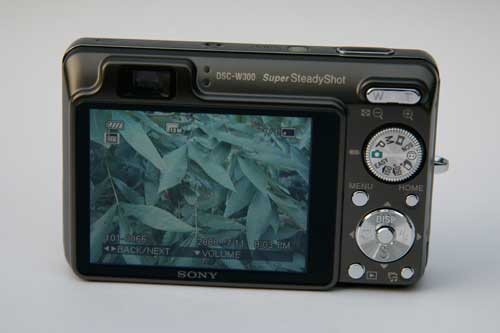
The controls.
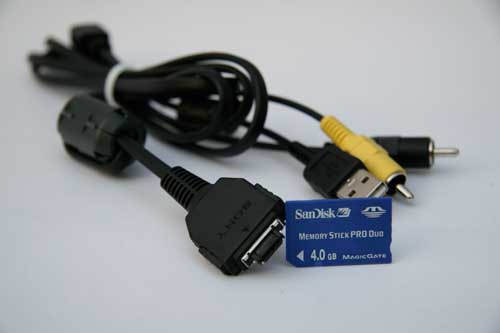
Why are the cables annoying? This Sony, like all other Sony cameras (I suspect) uses an unnecessary and inconvenient proprietary cable. This means I have to carry an additional cable with me if I want to transfer photos off of the camera when I’m away from home. A standard mini USB cable is superior in every way.
Why is the Sony Memory Stick Pro Duo Super Extra Jumbo memory format annoying? First, it is Sony-only, and it is more expensive than comparable SD memory. (But only slightly) What else? I can’t use clever memory cards like the EyeFi WiFi and skyhook-enabled SD card that would allow me to tag each photo with GPS coordinates and wirelessly transfer images to my computer. (which would have eliminated the cable issue)
That said, the W300 compares favorably to other similar cameras and the above annoyances are pretty minor. The W300 is a great point-and-shoot and is a good companion to a DSLR.
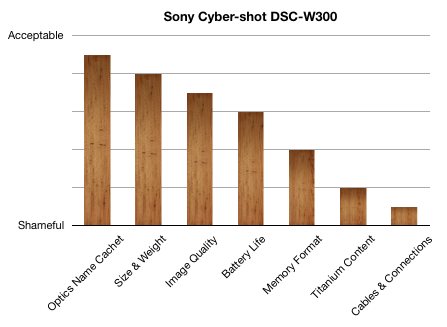
What review would be complete without a meaningless chart and/or graph?
Some sample photos from the W300: (Click photos for unreasonably large 13.6 MP / 4224×3168 image)