Make Controller + Slot Cars
Thursday, August 16th, 2007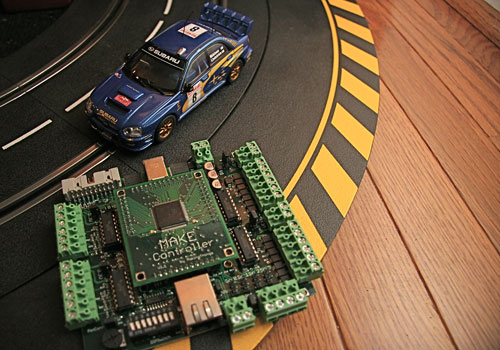
What do you get when you combine a MAKE Controller and a 1:32 scale slot car set? More to come soon…
What do you get when you combine a MAKE Controller and a 1:32 scale slot car set? More to come soon…
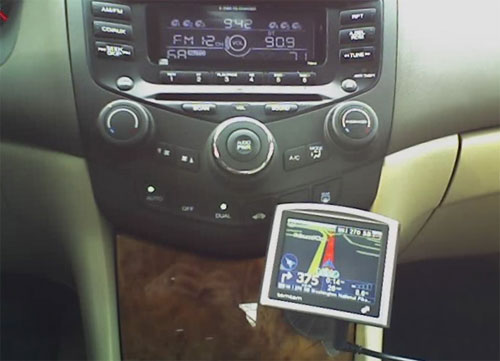
After a week of driving around lost, I bought a GPS. I did some research and decided on the tomtom One. This GPS is an entry-level model with basic features and a relatively low price. I chose the tomtom because it is small, got positive reviews, and was inexpensive (about $400). After two weeks of almost daily use I have some observations:
Positive:
Negative:
Summary:
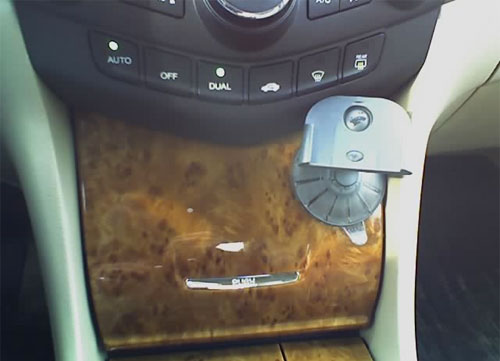
The tomtom One is an acceptable in-car GPS. It compares favorably to other similarly priced units, but lacks some useful features. I would not hesitate to recommend this GPS, but only after disclosing the lack of a powered dock and absence of text-to-speech functionality.
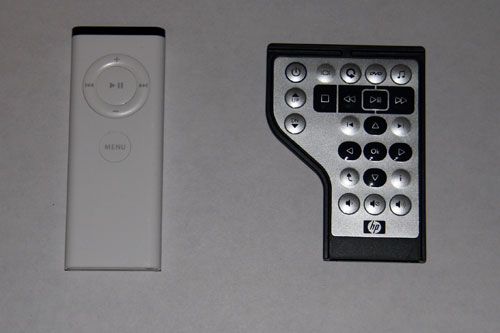
Here we have two “media” remotes. The one on the left is the standard remote you get with any Intel based Mac. On the right we find a remote from a new HP laptop. Both remotes are intended to control multimedia applications. The Apple uses Front Row, and the HP uses Microsoft Media Center.
The Apple remote has six buttons. The HP remote has twenty three buttons. Both remotes offer similar functions. Why all the extra buttons on the HP remote? The HP remote has no less than ten directional buttons while the Apple has four. Other buttons are similarly redundant. Furthermore, the HP remote is shaped like a small grand piano that is neither visually attractive or ergonomically sound (Don’t believe me? Try using it with your left hand). The Apple remote is, well shaped like a remote. It is both aesthetically pleasing, functional, and easy to use. I think this small example of the PC world vs. the Mac world clearly demonstrates what is wrong with PCs.
Can the HP remote be fixed? Of course. Here is a crude Photoshop hack of what the HP remote should have been. I even included some extra buttons whose function is a little unclear. What exactly is the circular arrow button? What is a box with two vertical lines on each side?


