crossgeared.com

Computing

Review: iPod Touch

Friday, October 12th, 2007
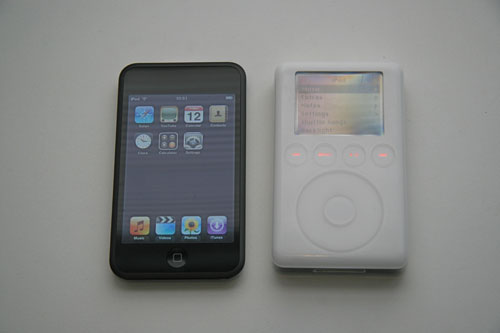
iPod Touch and 3G iPod 


What is it?  

A 16 GB iPod with the touch screen interface from the iPhone (without the terrible Edge cellular connection or the somewhat obligatory AT&T contract).  Oh, and I have Cingular/AT&T mobile service, but the iPhone data/voice plans are ridiculously expensive.  What else? It plays h.264 video (high quality), it is an iPhoto viewer, it provides access to the iTune music store, it can access wireless internet for web browsing, and it plays music too.  The cost is approximately $400 for the 16 GB model and $300 for the 8 GB.             

What is the white thing next to it??? 

 That would be my 15 GB 3G (3rd generation) iPod.  I purchased this iPod in 2003 for the same price as my iPod Touch.  For both of you who don’t know what the original iPod is, it is a hard drive based portable music player.  While the iPod Touch is still an iPod, the portable music player aspect is, in my opinion, now just a side note.  By the way, I have another opinion: the 3G iPod has the best user interface of all of the “classic” iPods.  The click wheel iPods are interesting, but not an easy to use as the 3G.  The 3G also supports Firewire, something missing from current iPods.          

 iPod Touch and 3G iPod 


The Good:

  • – Safari has excellent page rendering, a great UI with easy pan/scroll/zoom.  Safari is the single best (and most dissapointing) application on the iPod Touch.  It makes other mobile browsers look like web browser equivalent of a ’74 Ford Mustang II (read: crap).
  • – Nice display, great video (h.264), very clear and very sharp with a great LED backlight.
  • – Very nice keyboard.  This became very apparent when I switched back to the on-screen keyboard on my Tom Tom GPS.  Until I bought the iPod, I though the Tom Tom was pretty good.  I won’t compare the iPod keyboard to a Blackberry; I presonally can stand the Blackberry interface, but some seem to like it.  Oh, and after a week of iPod usage I can touch type; the predictive word completion works extemely well and significantly speeds up input if you use/trust it.
  • – Touch interface is superior to the iPod click wheel, cooler than the 3G interface
  • – 16 GB of flash storage is sufficient
  • – WiFi works well (with my AirPort Express WDS network)
  • – Impressive battery life: no problem watching a movie, a few short videos and a few hours of music on a transatlantic flight.
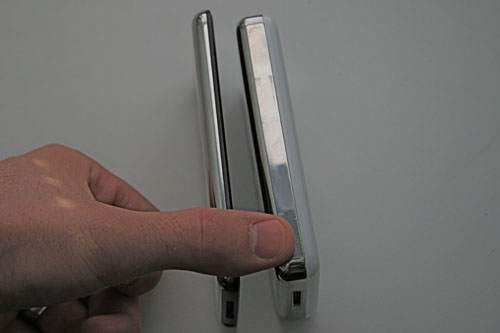
 iPod Touch and 3G iPod 


The Bad:

  • – Safari crashes frequently (really annoying and disappointing)
  • – .Mac webmail does not work
  • – USB only (no Firewire)
  • – Contacts data not completly sync’d  

Missing Software/Features: 

  • – Email application
  • – Editable calendar
  • – 3rd party applications*
  • – To do list/text editor
  • – The ability to download photos from a camera directly to iPhoto on iPod (via USB)
  • – Bluetooth

3rd party applications:

I’m not quite sure how this one should go.  While it would be nice to have the ability to develop applications that run natively on the iPod Touch and iPhone, it makes more sense for Apple to encourage web application development.  Why?  Well, I think it is pretty obvious that most applications are headed this way.  Look at Google Apps or anything with “Web 2.0” in the title.  However, don’t look at Microsoft Office Live.  This is a pseudo web application that completely misses the point.  While a true web application runs from a browser and requires no special software on the client, MS thinks you should have a $300+ version of Office installed on your computer before you can load their “web application”.  Anyway, I think Apple will get a lot of flack for not allowing 3rd party apps (if this is the route they continue to take), but in the long run it will be good for the iPod/iPhone platforms as well as any other mobile platform.       


Update: Apple announced that official support for 3rd party development for the iPod Touch and iPhone will be out February 2008.        


Conclusion: 

The iPod Touch is the best mobile phone on the market:  Better than the iPhone with no silly contract or monthly fees, plus no annoying “voice” service.  While many of the issues I discussed could potentially be addressed with firware updates, I would sit on that $400 and wait for the 2G iPod Touch.             
Windows Repair and Microsoft’s “Stealth” Update

Wednesday, October 10th, 2007

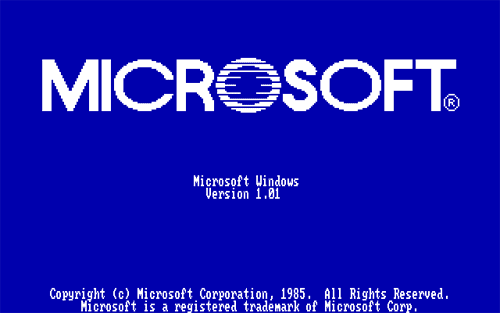
Windows 1.01A few weeks ago Microsoft forced the install of an unadvertised and undocumented update via Windows Update (WU).  Aside from installing software without the consent of user/owner, the update seriously breaks a Windows install after a Windows repair. I had another partially related issue with Internet Explorer.  IE 7 was installed prior to the repair; the reapir installed IE 6.   Post repair IE 6 was unstable and slower than usual.  I used a stand-alone IE 7 installer to fix this issue; the IE 7 install did not affect Windows Updates. I wasted three hours tracking down this issue (most of the time wasted waiting for WU to fail) and another hour installing the multitude of updates. For incorrect/incomplete information on this issue go here:  http://support.microsoft.com/kb/555615Correct information and a solution can be found in this ZDNet article:  http://blogs.zdnet.com/hardware/?p=817&page=2If you get stuck with this problem, you have a few options: 

  • 1. Manually re-register the DLLs as mentioned in the ZDNet article
  • 2. Dump Windows and install Ubuntu (i.e. Linux for Windows users)
  • 3. Apple offers this plug-and-play solution for all Windows problems.

Office Suites

Thursday, September 20th, 2007

MS Office

My Office Suite Rant:

We all use some kind of Office suite. I’ve used more than I can remember and several I’d like to forget. For the past 10 or so years I’ve primarily used some form of Microsoft Office, prior to that I have fading memories of using WordPerfect and Lotus SmartSuite.

I can recall being excited about the release of Microsoft Office 95, 97 and 2000 for the Windows platform. Office 2000 was, in my opinion, the best office suite release by Microsoft (for the Windows platform). Microsoft released Office XP (aka Office 2002), but it was indistinguishable from Office 2000. Office 2003 was a major “update” for Microsoft. In retrospect, this was the beginning of the end. Many of the elements in the user interface changed for no apparent reason, and compatibility with other releases of Office (and other suites) was seriously compromised. I begrudgingly switched to Office 2003 in 2005 or so. Enter Office 2007. This is a joke. Ribbons? Where is the ‘File’ menu? No menu bar!? I gave this version a couple hours, and I want my time back. Let’s look at Office on the Mac platform next.

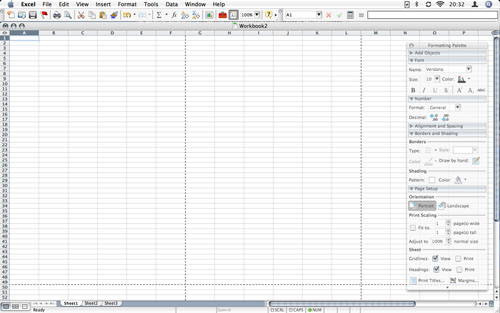
Releases of Office 98 and 2001 for the Mac platform were noted, but I didn’t have much use for them. Office X was out when I bought my first OS X system, a 2002 iBook 800 MHz G3 (one of the batch of 800 MHz G3 systems with the bad logic board design). Office X did not compare favorably to Office 2000, but at least I could open my Excel spreadsheets. I won my copy of Office X at a Microsoft Seminar touting Server 2003; I also got a nice t-shirt. I still use the t-shirt. Office 2004 is a good office suite. I like and still use Office 2004 on my OS X systems. It is relatively stable, it works on my PPC and x86 Macs, and isn’t too annoying. Office 2008 for the Mac is due soon, but I don’t expect to use it.

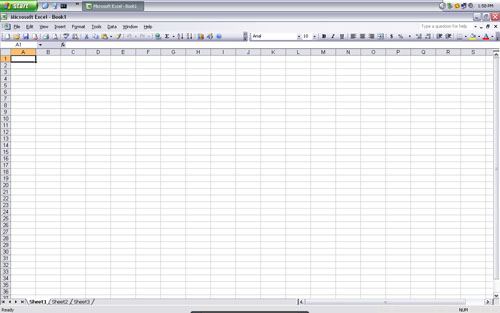
Excel 2003 in XP
Excel 2003 (XP)

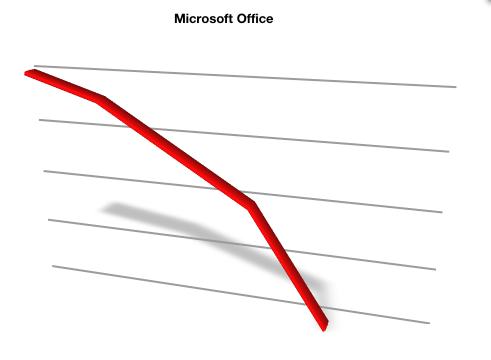
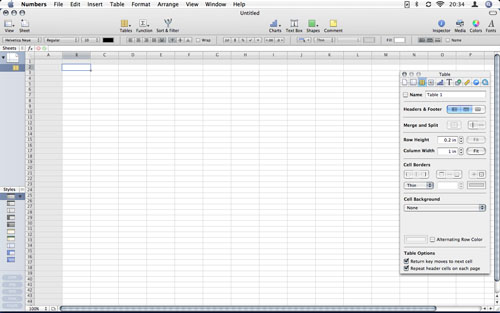
Ok, so where am I going with this? Since 2003 or so Microsoft Office has been heading downhill. In 2005 I bought iWork ’05. This was Apple’s initial release of iWork and would eventually replace their older (and neglected) Appleworks office suite. Keynote is a great application and is superior to PowerPoint. Pages ’05 was interesting, but needed work to compete with Word. iWork ’06 included some nice improvements to both Keynote and Pages. iWork ’08 introduced Numbers, a spreadsheet application, as well as updates to Keynote and Pages. I’ve played around with Numbers and it is nice, but is a 1.0 release. Numbers has the potential to be a good spreadsheet application, I’ll take another look with version 2.0 or 3.0. I purchased iWork ’05 and ’06, but I have not upgraded to ’08 (I’m using the free trial version).

Numbers 1.0 in OS X
Numbers 1.0 (OS X)

Aside from the Microsoft and Apple office suites, I’ve also been tracking the progress of Open Office / Star Office. Open Office on OS X is stuck running in X11 (think the OS X user interface minus everything you like about it). So, even if Open Office is good (which it is), there is no way I’m using it on my Mac. X11 does have it’s place, this just isn’t it. A version of Open Office that runs in the OS X Aqua (read: nice/shinny) user interface is in alpha now and I eagerly await a stable release. Open Office for the Windows platform is a great application and is a serious competitor to Microsoft Office. More on this later. Hmm, what else… Google offers some nice online applications such as a word processor (Docs), spreadsheet, and a drawing program. I’ve used these and I can see some definite advantages (online collaboration), but again, I’ll take another look after a few revisions.

Excel 2004 in OS X
Excel 2004 (OS X)

Still reading? Well, up until now, it has been fairly safe to stay with Microsoft Office. The document compatibility and familiarity with the user interface were the biggest reasons to stick with Office. Switching to anything else *had* the large barrier not having the familiar Microsoft Office interface. Office 2007 has such a dramatically different user interface that switching to Open Office (or any other alternative) may be easier and require less effort than “upgrading” to Microsoft Office 2007. Open Office has the particular advantage of looking a lot like Office 2000/2003. Document portability with the current versions of Microsoft Office is a joke. Open Office, iWork, and the Google applications win in this respect as well. The native PDF support in OS X and iWork offer a major advantage over Microsoft Office on the Windows platform.

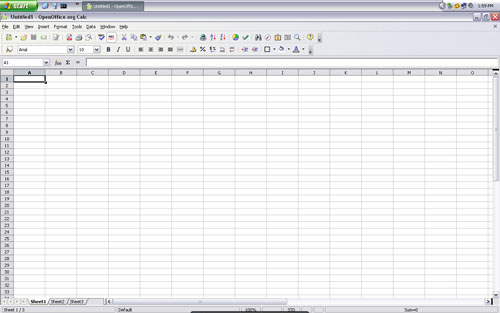
Open Office in XP
Open Office Calc 2.3 (XP)

One final consideration, cost: (standard pricing w/o edu or gov discounts)

Microsoft Office 2007: $400-$680 (upgrade for $330)
Apple iWork ’08: $80
Open Office 2.3: $0
Google Docs & Spreadsheet: $0

You can draw your own conclusions here.

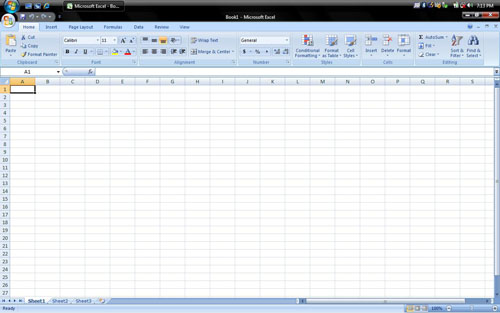
Excel 2007 in Vista
Excel 2007 (Vista)

And, after all of that, I’m not using any of these word processors to write this blog post. I’m using TextWrangler, a free text editor that I generally use for coding, but occasionally for word processing (is that a real term?). Without TextWrangler, the bloat and overhead of the current word processors would have driven me to use VI. On the Windows side, I am a fan of Notepad2, a free text editor that adds some features to the Windows Notepad but retains the simple user interface. Okay, I’m done. Back to camera mounts and in-car video soon.

Creative Commons License
www.crossgeared.com is licensed under a Creative Commons Attribution-Noncommercial-Share Alike 3.0 Unported License