I’m still here, but have been busy with other projects. I’ll have some new posts soon, but until then you can ponder over what I’m doing in this photo:
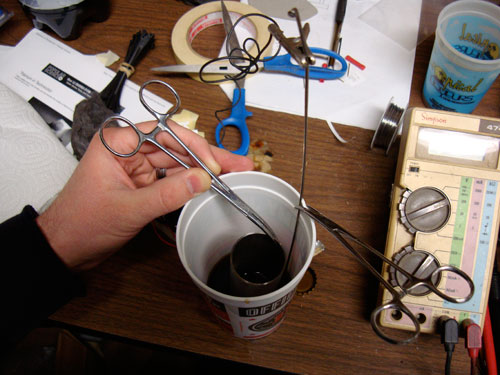

I’m still here, but have been busy with other projects. I’ll have some new posts soon, but until then you can ponder over what I’m doing in this photo:
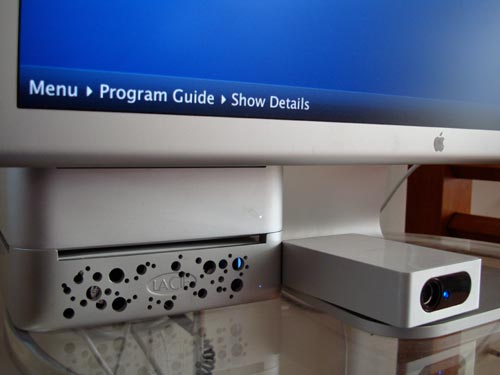
Update: The Non-Apple TV Apple TV has undergone some minor updates. First, the 12″ PowerBook has been freed and is portable again. In its place I have installed a Mac Mini 1.42GHz G4 with 1GB RAM, 80GB HDD and an external 250GB LaCie Mini Hub. Functionally the Mini is pretty much the same as the PowerBook, the main advantage is a smaller footprint and regained use of the PowerBook as a portable system (once I replace the battery). As an added bonus, the Mac Mini, Mini Hub, Cinema Display and EyeTV all look pretty good together.
The Air Mouse client and server software were also updated. The new software adds some nice features including a panel/setting with only media controls, one for web browsing, and custom programmable keys. The media panel is very usable with large high contrast buttons and almost makes up for the lack of an Apple remote on the PPC-based Mini. More info on the new Air Mouse features on their site: mobileairmouse.com.
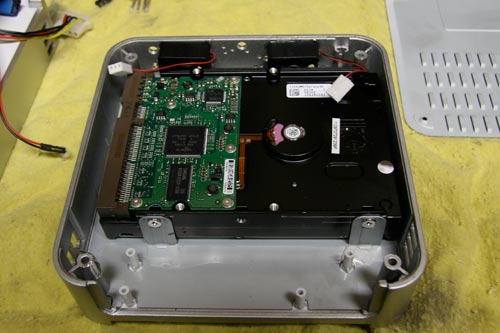
You may have noticed the holes in the front of the Mini Hub. I drilled these for additional cooling when the original fan in the drive failed. The original drive in the Minihub was 500GB and generated a lot of heat, and subsequently used the cooling fan quite a bit. Along with new larger front-mounted fans, the Minihub now uses a 250GB drive that seems to run fairly cool and rarely gets hot enough to trigger the fans. The lack of noise is appreciated for this application. My Mini Hub case modification in detail for your review:

Earlier I gave my impressions of the ATC3K waterproof video camera. I recently built a custom mount to attach it to a bike, tested the mount as well as the camera’s waterproof claim.
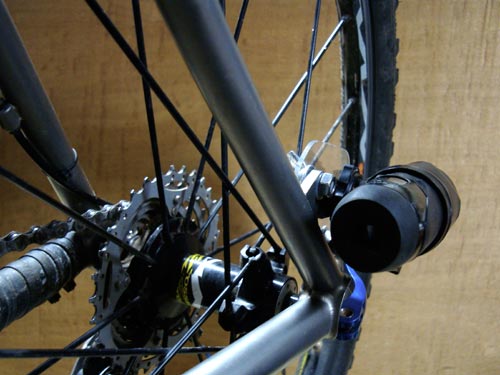
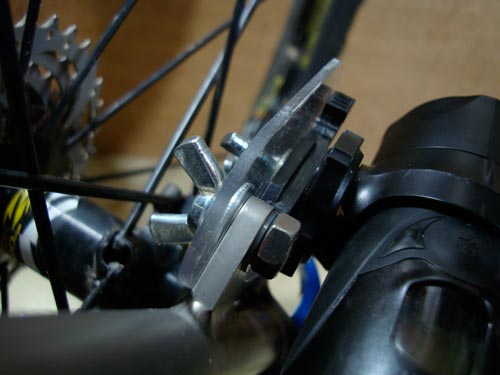
The mount utilizes the rear disc tab on the UK-14er (I knew I had that tab added for some reason). The mount is very simple and consists of a piece of Lexan and some mounting hardware. The Lexan is 0.10″ thick and seems fairly rigid. An aluminum plate would make a more rigid mount, but it probably isn’t necessary with such a light camera. Anyway, the hardware is some cut 1/4-20 threaded rod, a few washers, nuts and wing nuts for easy adjustment and assembly. Bolts could and probably should replace the threaded rod and nuts, but I didn’t have any 1/4-20 bolts around and I wanted to make sure none of this hardware ended up in the spokes.
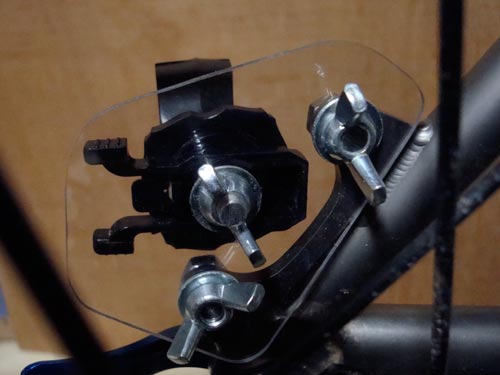
The camera is just out of range of my heel when clipped into the pedals. While this is good for the camera’s longevity, a constantly spinning pedal/foot in the middle of the frame is a little distracting. The mount does allow the camera to mount forward or backwards as well as tilt up and down so foot-free angles are an option.
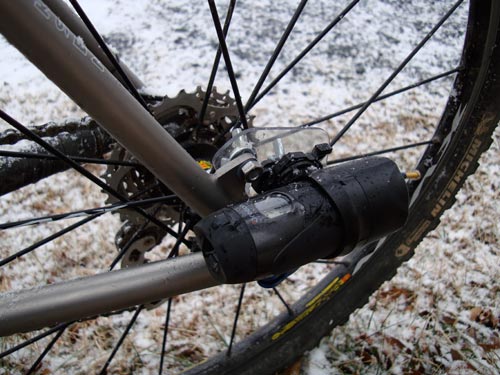
As far as the waterproof testing goes, I tested the camera mount during the first snowfall we’ve had this year. I suppose I only tested the water resistance of the camera, but either way it didn’t seem to mind being covered in mud and snow. This is a pre-ride photo, but you get the idea.
Finally, a video from the new mount: